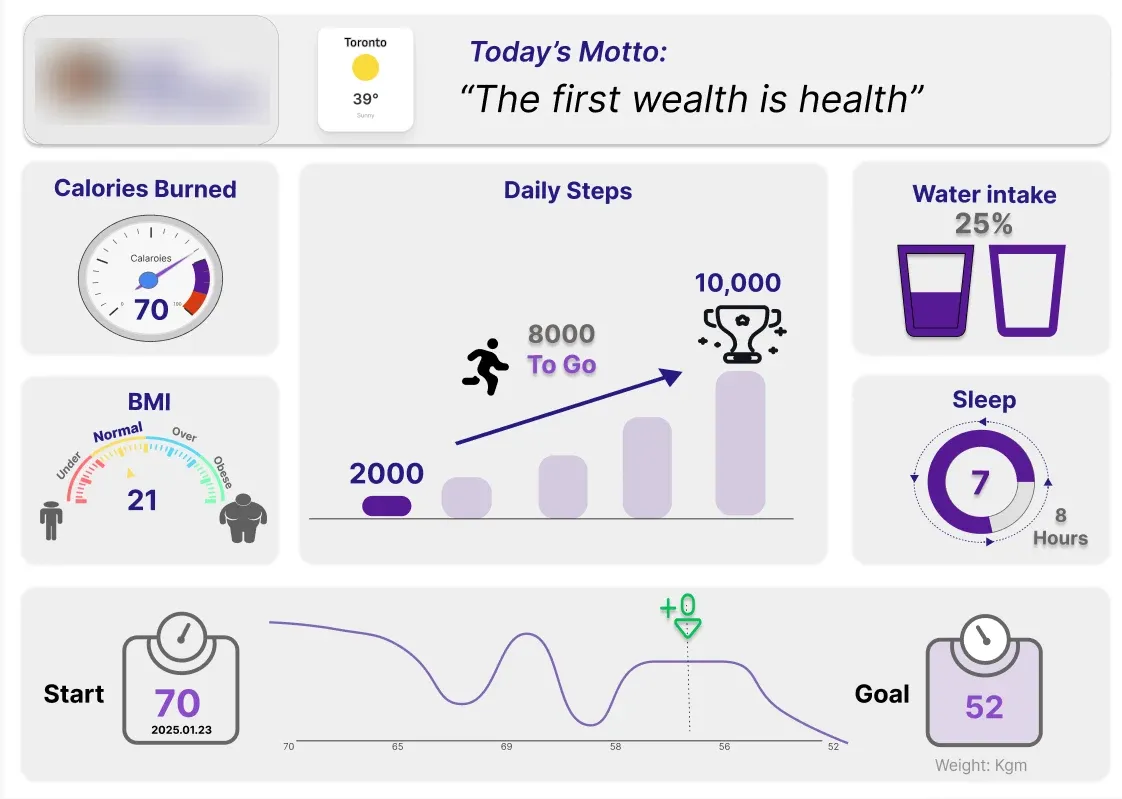
From sketch to dashboard
Paper first, then Figma, then Tableau. The layout survived all three; the details didn't.
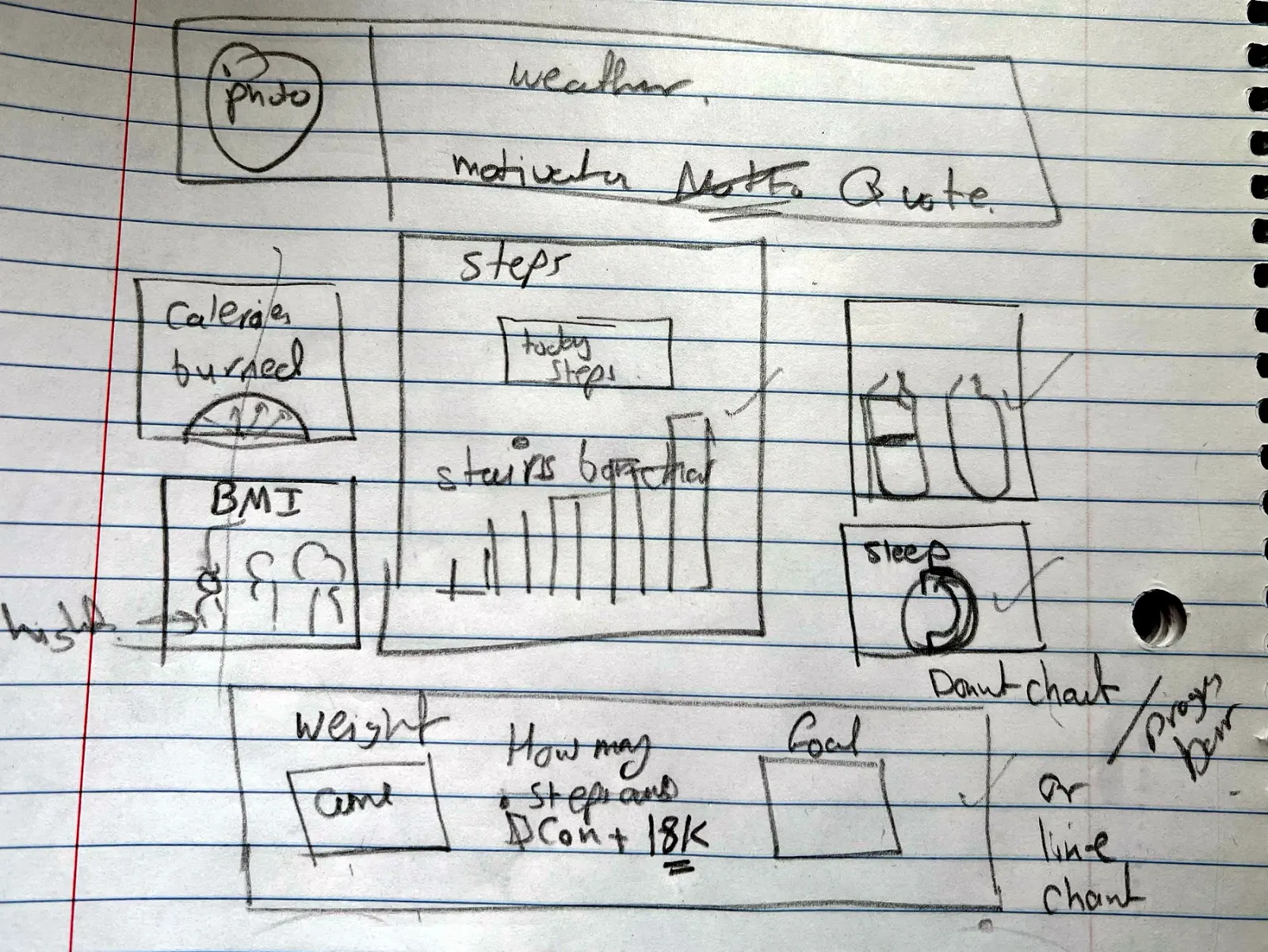
First sketch
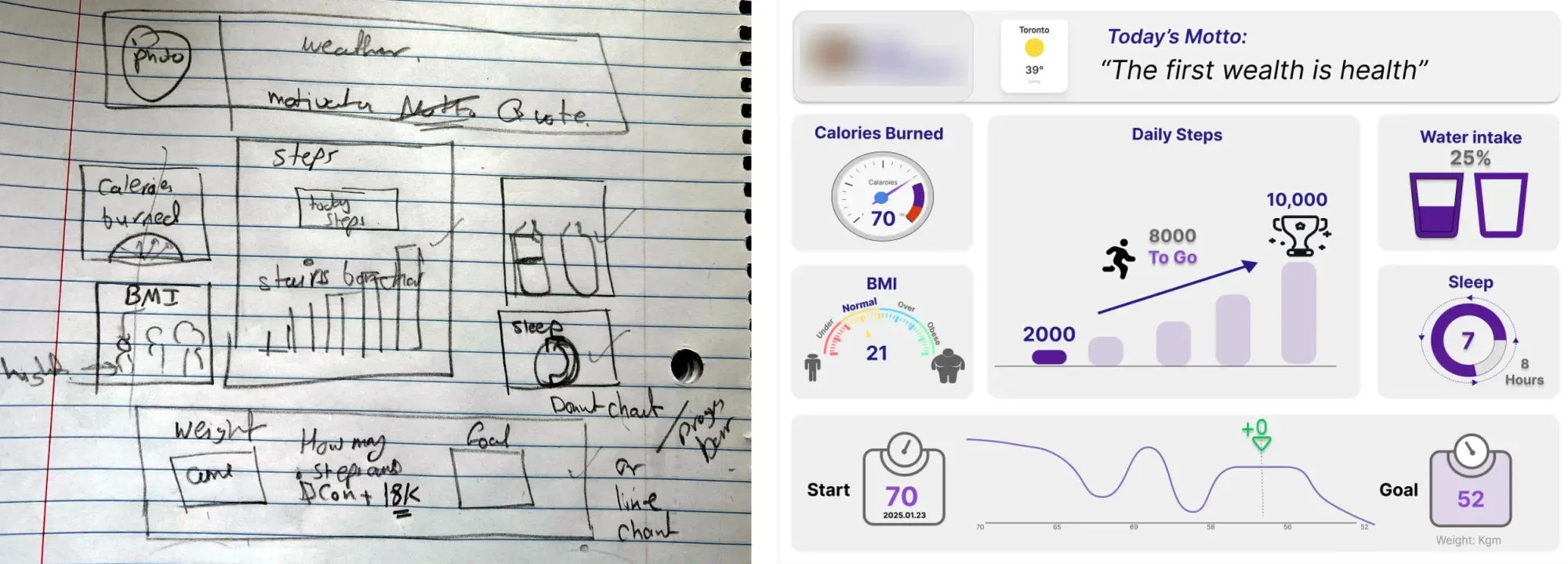
Paper wireframe before feedback. Steps in the middle, weight and goal at the bottom, weather and quote up top.
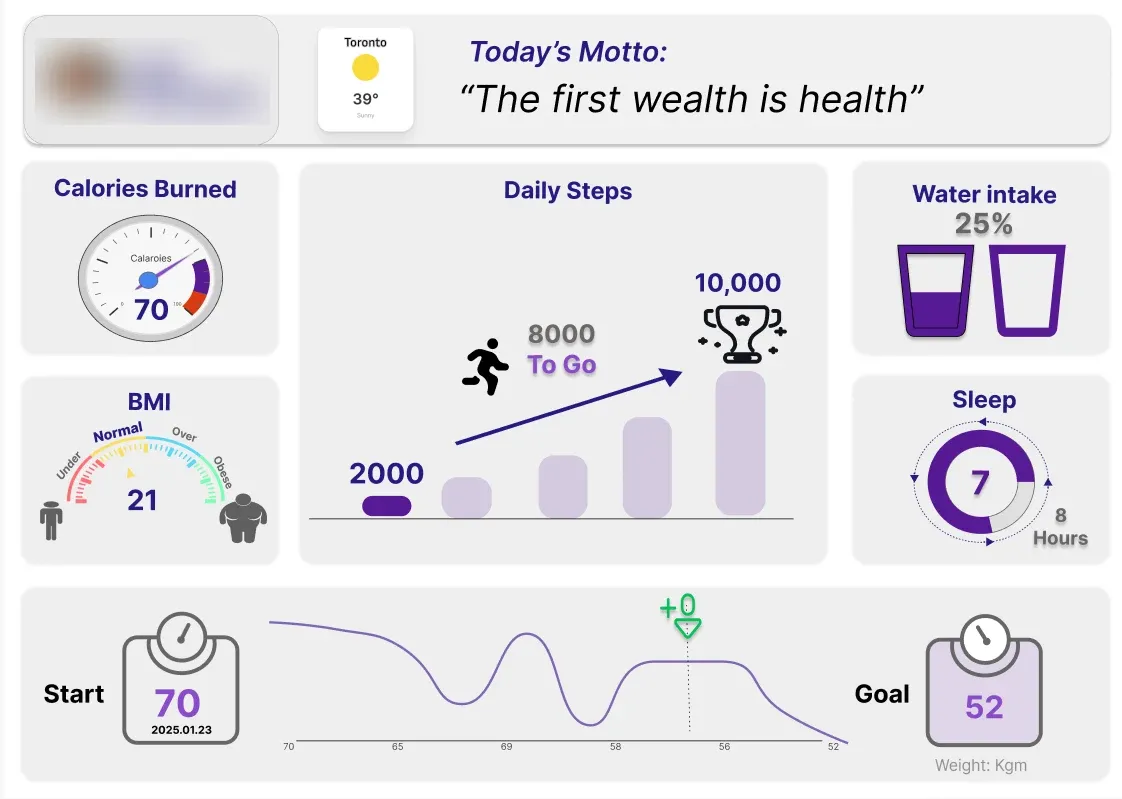
Figma prototype
High-fidelity version after the first round of feedback. Added the steps KPI, weight-journey line, start date and water percentage.
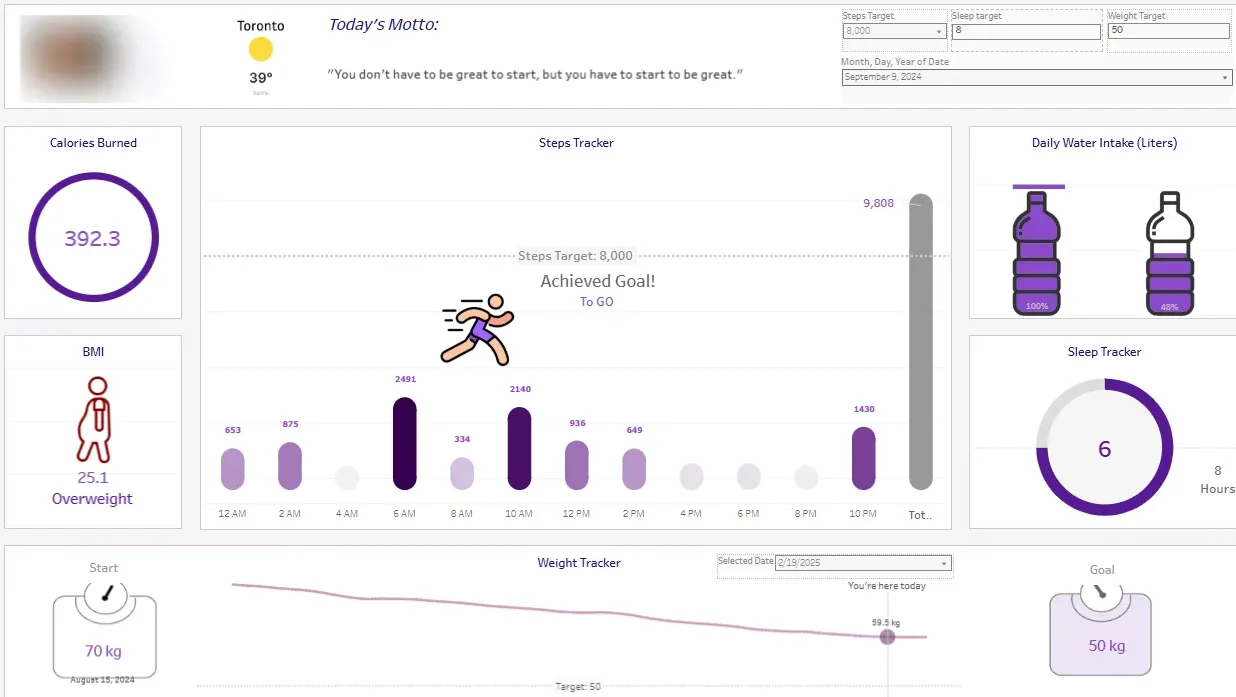
Tableau dashboard
The final build, live on Tableau Public. Same layout as the prototype, with editable targets for steps, sleep and weight, steps broken out by hour, and a date picker on the weight tracker.
What the user actually needed
The interview surfaced four things she wanted to track — weight, steps, sleep, water — and one frustration: she couldn't reorder her current app. Her wellness goal was weight loss, but she also said tracking steps alone wasn't motivating. What she didn't say, but was clear from how she talked about it, was that seeing progress toward a goal mattered more than seeing today's number.
Designing for the morning check
I followed a five-step UCD process: research, define, ideate, design, iterate. From the interview I picked the two needs to design around — weight loss and steps — and sketched three ideas for each. The first paper sketch put steps in the centre as a stair-style bar chart and weight along the bottom. Feedback said the steps chart had no number on it and the weight had no starting point, so the second version added a large steps KPI (current, goal, steps to go), a weight-journey line between start and goal with the current position marked, a date on the starting weight, and a percentage on water intake. That version went into Figma, then into Tableau.
- Role
- Solo — interview, synthesis, sketching, Figma, Tableau, user testing
- Team
- Solo
- Timeline
- Jan 2025
What Changed Between Sketch and Dashboard
One feedback round, four fixes
The first sketch was close on layout and wrong on detail. The user could find everything but couldn't read the two numbers she cared most about — steps today and weight progress. The second version fixed that without changing the layout she'd already approved.
In user testing on the final dashboard she found every feature, read her calories and steps without help, and compared her sleep to her goal. Her one remaining request was a warmer colour theme.
The Design Decisions
- User interviewed, in depth — the whole design traces back to her answers
- 1User interviewed, in depth — the whole design traces back to her answers
- Metrics she asked for: weight, steps, sleep, water
- 4Metrics she asked for: weight, steps, sleep, water
- Supporting metrics she didn't ask for but responded to: BMI and calories burned
- 2Supporting metrics she didn't ask for but responded to: BMI and calories burned
- Changes made after the first feedback round — all shipped
- 4Changes made after the first feedback round — all shipped
Technical Foundation
User interview
Seven questions covering goals, current habits, likes, dislikes and how she'd use a dashboard.
Synthesis
Turned one interview into four clear needs and one unstated one: progress matters more than today's number.
Ideation
Three concepts for each of the two priority needs before sketching.
Figma
High-fidelity prototype after paper feedback, used for the second round of testing.
Tableau
Built the final dashboard to match the prototype and published it on Tableau Public.
User testing
Task-based test on the live dashboard, with a feedback matrix to prioritize changes.