The three pieces
Esri's own framing — system of record, system of insights, system of engagement — mapped neatly onto the project.
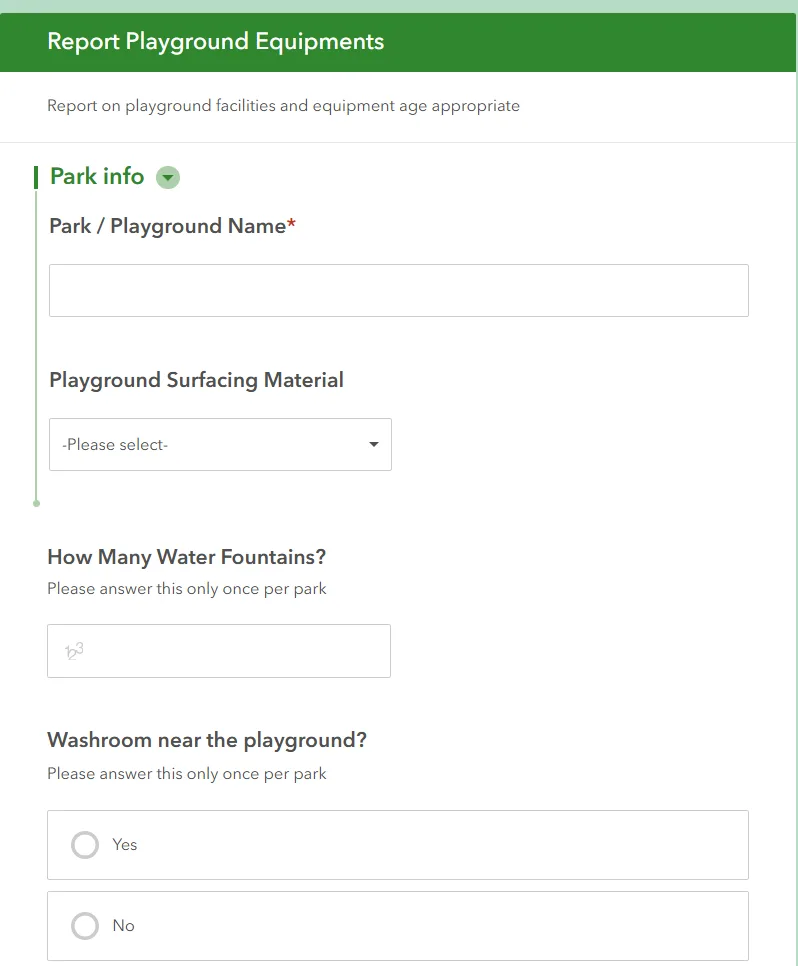
Survey123 — record
Park-level questions asked once, then a repeat block per piece of equipment.
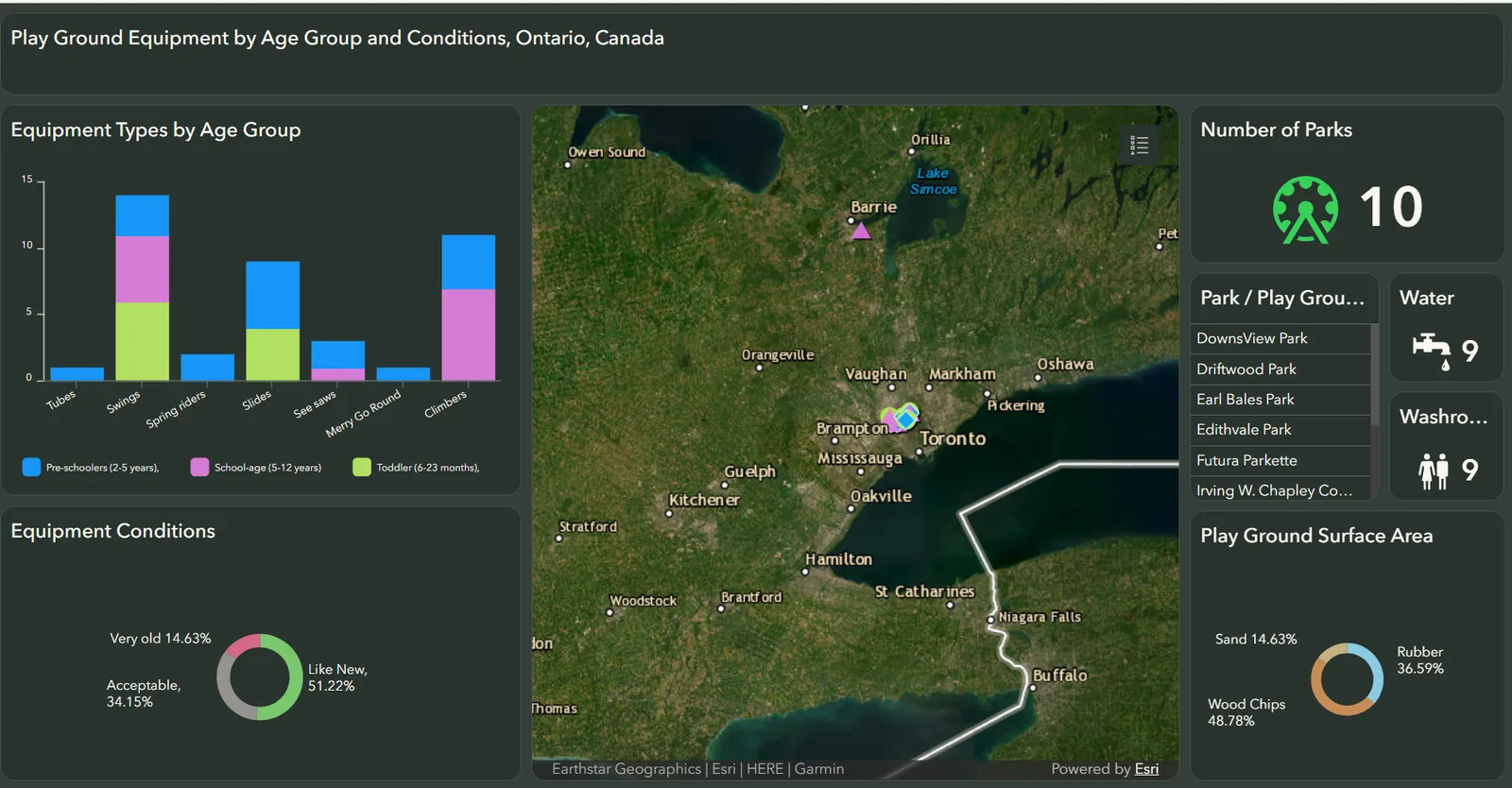
ArcGIS Dashboard — insights
Every chart is also a filter. Click a bar, the map and the park list follow.

StoryMap — engagement
A guided walkthrough with the survey embedded, so a reader can add a park without leaving the page.
The Problem
Playground data doesn't exist in a usable form. Municipal open data lists park locations, not what's inside them. The information a parent needs — is this built for a two-year-old, is the surface rubber or sand, is there a washroom — lives in other parents' heads. Any dataset would have to be collected from scratch, by volunteers, on their phones, and it had to come out clean enough to chart without a data-cleaning step in between.
The Solution
Design the survey so the schema does the cleaning. Every field is a choice list or a number, never free text, so the feature layer is analysis-ready the moment a response lands. Park-level facts are asked once; equipment is captured in a Survey123 repeat, one record per piece, each tagged with type, age group and condition. That single hosted feature layer feeds the dashboard directly — no export, no script, no lag between a submission and the map.
Dashboard design
The dashboard was built for a phone-holding parent, not an analyst, so it leans on ArcGIS Dashboards’ action framework rather than on filter menus.
- Map symbology by age group: green circles for toddler equipment, cyan diamonds for pre-school, pink triangles for school-age. A parent can read the map by shape before reading a single label.
- Charts as filters: selecting a bar (say, Slides) filters the map, the park list and the other charts to slides only. Selecting a condition slice does the same. Selections are additive, so slides + like new is two clicks.
- Map extent as a filter: zooming into a city narrows every chart to what’s in view.
- Indicators for the go / no-go facts: parks surveyed, parks with water, parks with a washroom — the three numbers that decide whether an afternoon works.
- Park list widget for the case where you already know where you’re going and want the detail.
- Role
- GIS designer and data modeller
- Team
- Solo
- Timeline
- Feb — Mar 2025
- Organization
- Personal / civic project
Background & Impact
Background
I designed the schema and the Survey123 form, configured the hosted feature layer, built the dashboard and its filter actions, and wrote and published the StoryMap. The goal was to validate the idea with real data before committing to custom software — and to learn exactly where a no-code GIS stack stops being enough.
The ArcGIS build is still live and still accepting submissions; it became the pilot and the data source for the standalone site that followed.
Impact
- Equipment Records
- 41Equipment Records
- Parks Surveyed
- 10Parks Surveyed
- Esri Apps Chained
- 3Esri Apps Chained
Technical Foundation
ArcGIS Survey123
Form design with choice-list domains and a repeat block for equipment.
ArcGIS Online
Hosted feature layer — one source of truth for every app.
ArcGIS Dashboards
Serial chart, pie charts, indicators, list and map wired together with actions.
ArcGIS StoryMaps
Public narrative with the survey and dashboard embedded.